HomePluginsFood Products

v1.2.0

Food Products for WooCommerce

Turns a WooCommerce shop into a food shop. Nutrition, allergens, and expiry dates that behave like stock.

Requires WordPress 6.8 Requires PHP 8.1 Tested to 7.1 Needs WooCommerce
A food product page on the shop front end, with the nutrition declaration table, the ingredient list with allergens in bold, and the expiry date shown to the shopper.

What it does

Two new product types, Food Simple and Food Variable, that behave exactly like the WooCommerce types they are based on. Your existing products are untouched.

Nutrition declaration

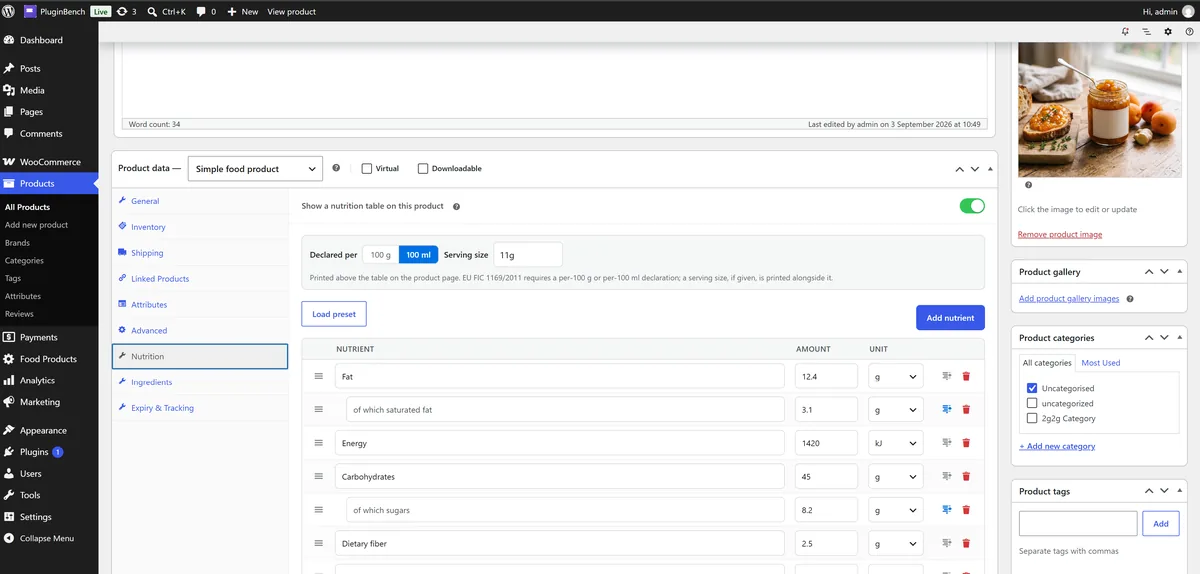
A label, amount and unit table declared per 100 g or 100 ml, pre-filled with the five EU-mandatory rows and fully editable. Rows reorder by drag, rename, and indent as sub-nutrients. Variable products share one table or let a single variation override it.

Ingredients and allergens

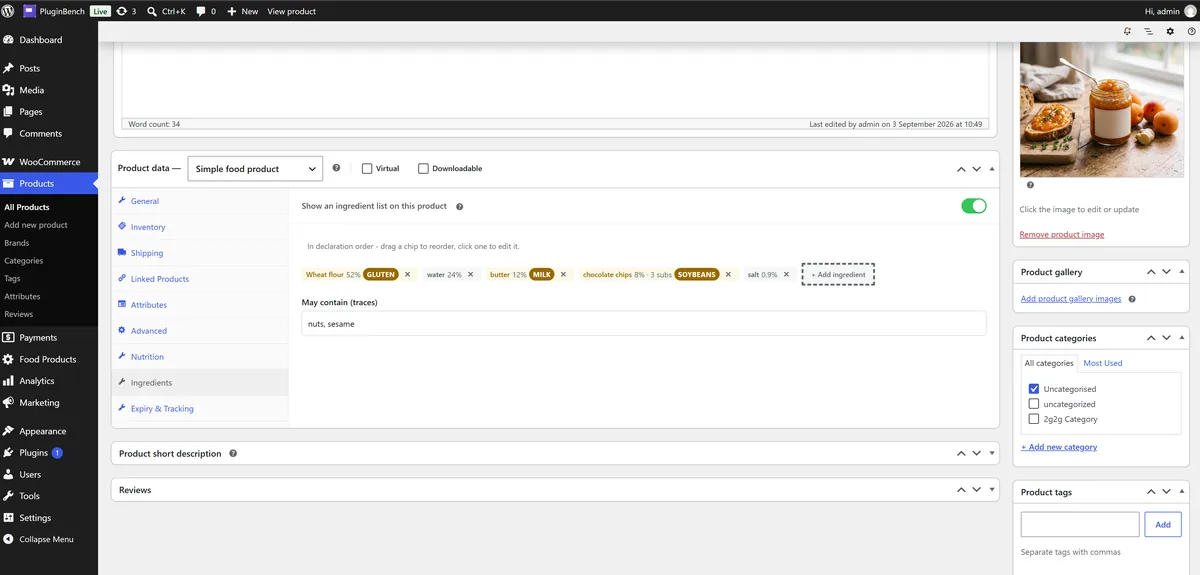
Ingredients in declaration order with optional percentages and sub-ingredients, each able to carry one of the fourteen EU-declarable allergens. The product page renders the list as one sentence with allergens in bold, plus a separate may-contain line.

Batches that are the stock

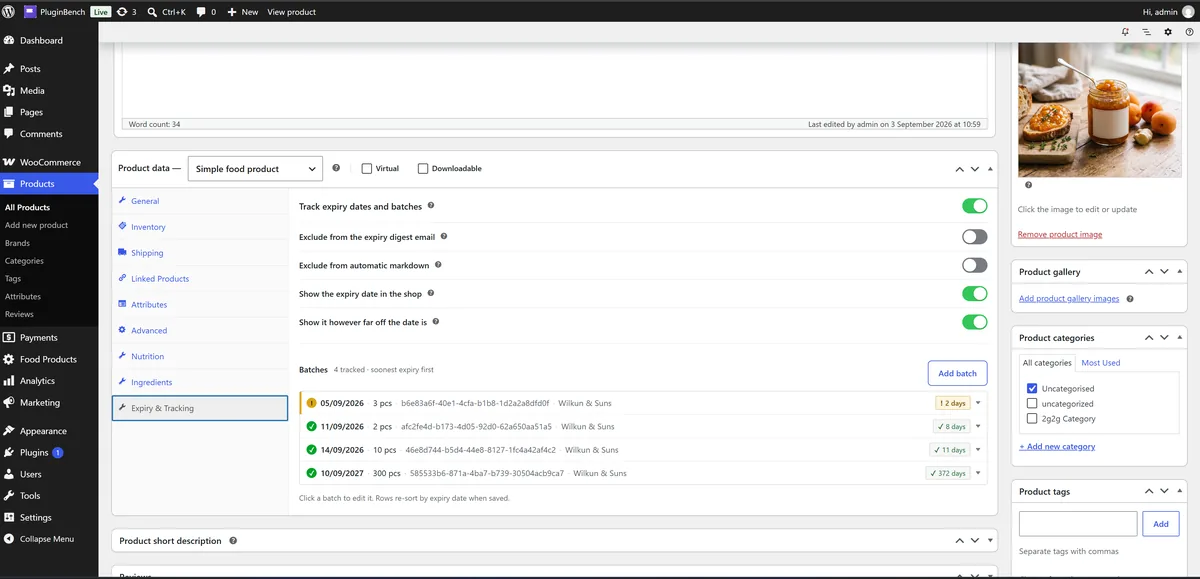
One row per batch with expiry date, quantity, batch number, batch date and supplier. Once tracking is on, the batch table is the product's stock: WooCommerce stock management steps aside, and shoppers cannot buy more than the batches hold.

Automatic markdown

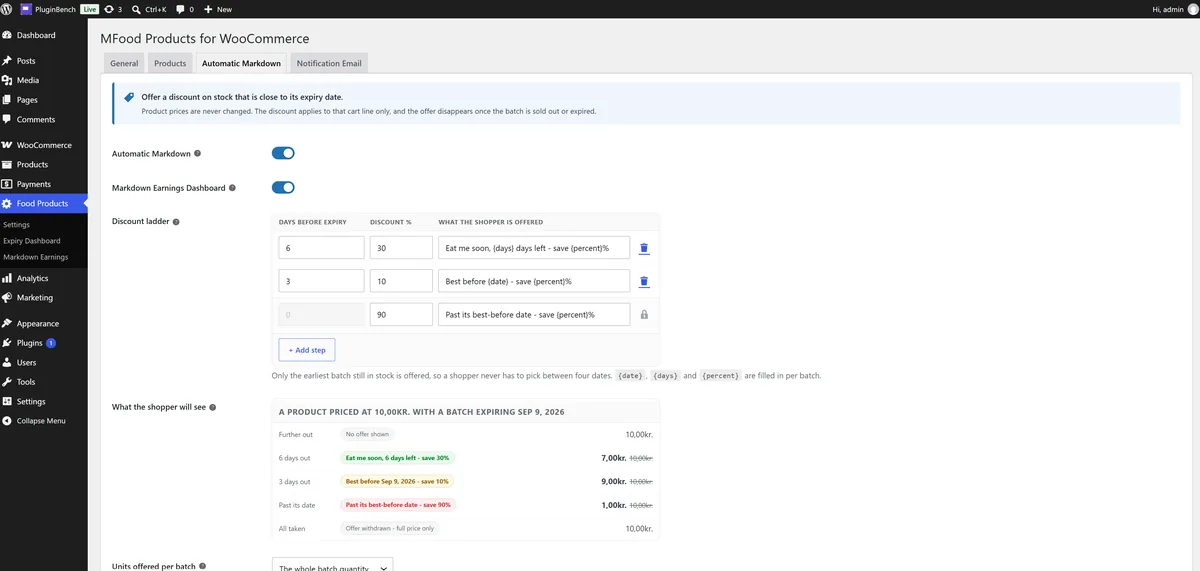
A discount ladder tied to how close a batch is to its date, for example fifteen per cent a week out and fifty on the last day. The product's own price never changes. The shopper opts into the reduced batch, and the discount applies to that cart line only.

Expiry dashboard

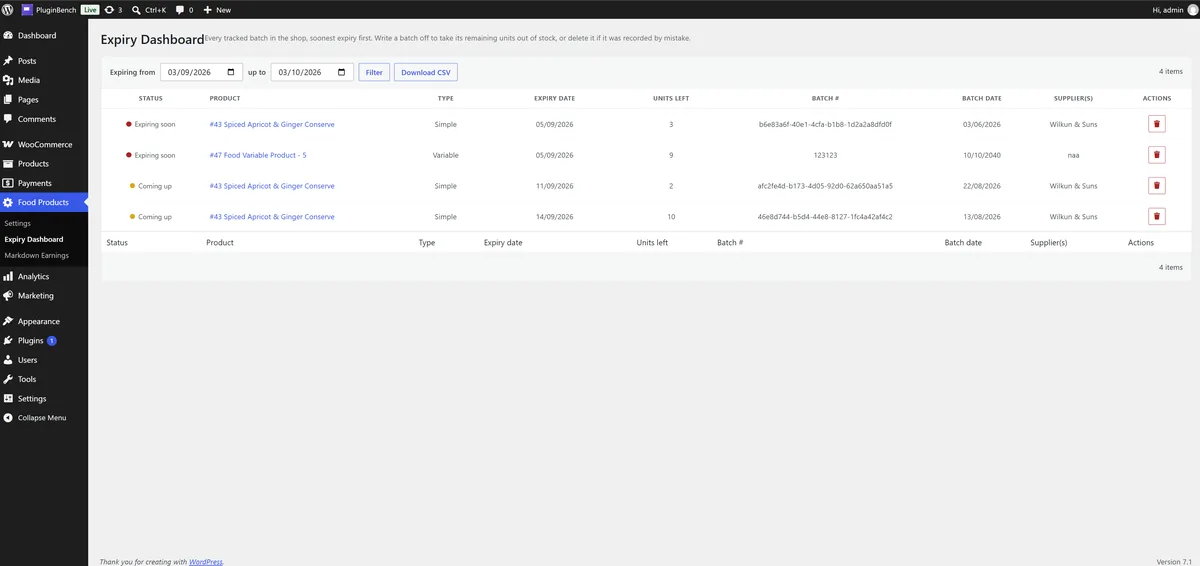
Every batch row from every food product in one list, closest expiry first, colour-coded by urgency, filterable by date range and exportable as CSV. Expired batches can be written off by hand or automatically each night at an hour you choose.

Markdown earnings

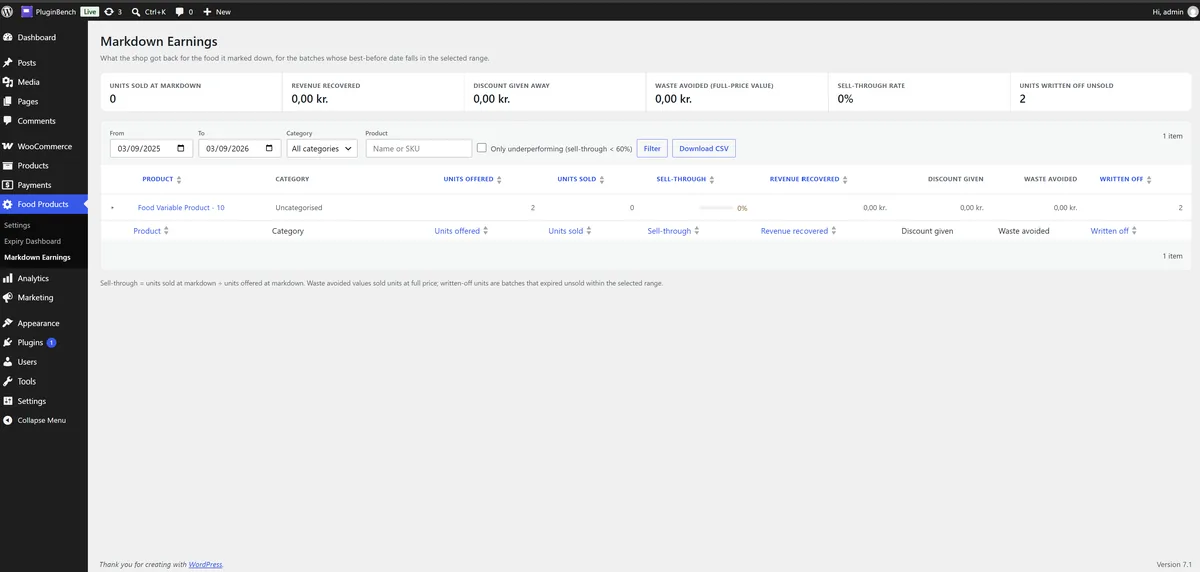
Per marked-down batch: units sold, revenue taken, what the discount cost you, and how much expired unsold anyway. The number that tells you whether the ladder is set right.

Alerts and categories

A scheduled digest of batches at or near expiry, sent daily, weekly or fortnightly to the shop users you pick, with every send recorded in an email log. Categories such as Clearance are added as expiry nears and removed once a fresher batch arrives.

Appearance

Thirteen colour fields covering the ingredient list, nutrition table, batch picker, the reduced-to-clear badge and the best-before line, with a live light and dark preview and a WCAG contrast check. Leave a field empty and the shipped styling stands.


Screenshots

Straight from the WordPress.org listing, so what you see here is what the plugin actually renders.

The Expiry Dashboard: every batch row from every food product in one list, closest expiry first, filterable by date range and exportable as CSV.
The Expiry Dashboard: every batch row from every food product in one list, closest expiry first.
The Nutrition tab in the product editor: the label, amount and unit table declared per 100 g or 100 ml.
The Nutrition tab, pre-filled with the EU-mandatory rows and reorderable by drag.
The Ingredients tab: ingredients in declaration order, each with an optional percentage, sub-ingredients and one of the 14 EU-declarable allergens.
The Ingredients tab, in declaration order with percentages and allergens.
The Expiry and Tracking tab: the batch table with expiry date, quantity, batch number and supplier.
The Expiry and Tracking tab, the batch table that doubles as stock.
The Automatic Markdown settings, where you set the discount steps that reduce a batch as its expiry date gets closer.
Automatic Markdown, where the discount steps are set.
The Markdown Earnings dashboard, showing what marked-down stock sold for against what it would otherwise have been written off for.
Markdown Earnings: what reduced stock sold for, against what it would have been written off for.

Requirements and fine print

WooCommerce must be installed and active. The plugin refuses to activate without it, and deactivates itself with a notice if WooCommerce is later switched off.

wordpress

6.8 or higher, tested up to 7.1.

php

8.1 or higher.

woocommerce

Required. HPOS and the block cart and checkout are both supported.

licence

GPLv2 or later. Fork it, change it, ship your own version.

third_party

No bundled libraries. It reuses the jQuery and Select2 that WordPress and WooCommerce already load.

on_delete

Removes its own settings and logs. Nutrition, ingredient and tracking data on your products survives.

0.00Price, now and later
0.00Fee per sale
GPLv2Licence, or later
noneTelemetry, ever