Run history
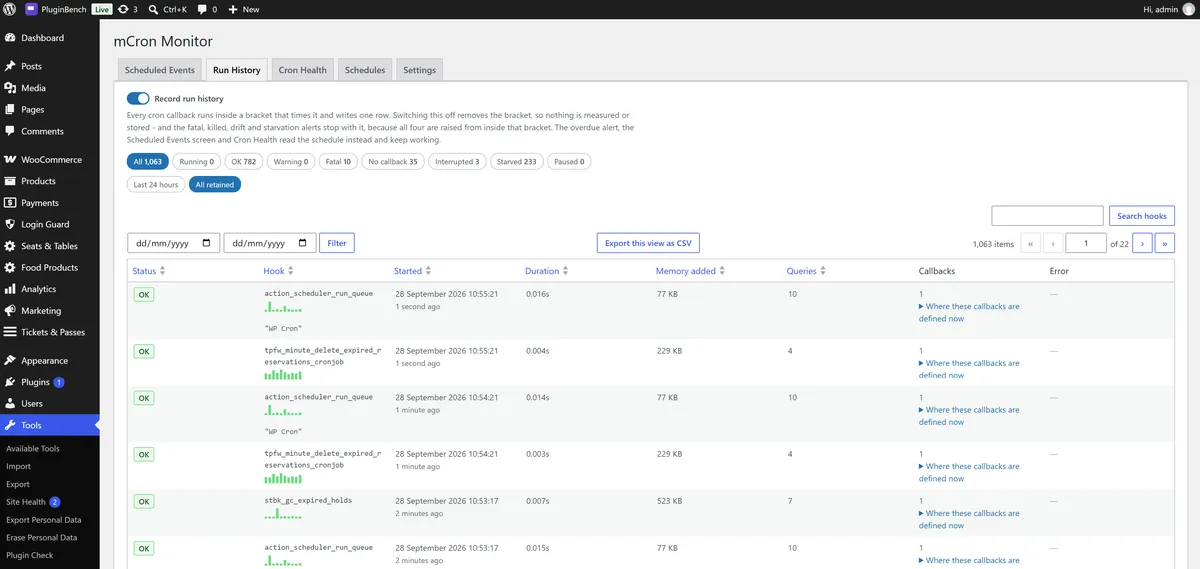
Every WP-Cron event with its status, duration, memory added, query count, callback count, warnings and fatal errors, and a sparkline of recent runs per hook.
 v1.5.6
WordPress ships no cron log. The schedule is a list of hook names and timestamps, and once an event fires, nothing is written down. This writes the record WordPress does not.
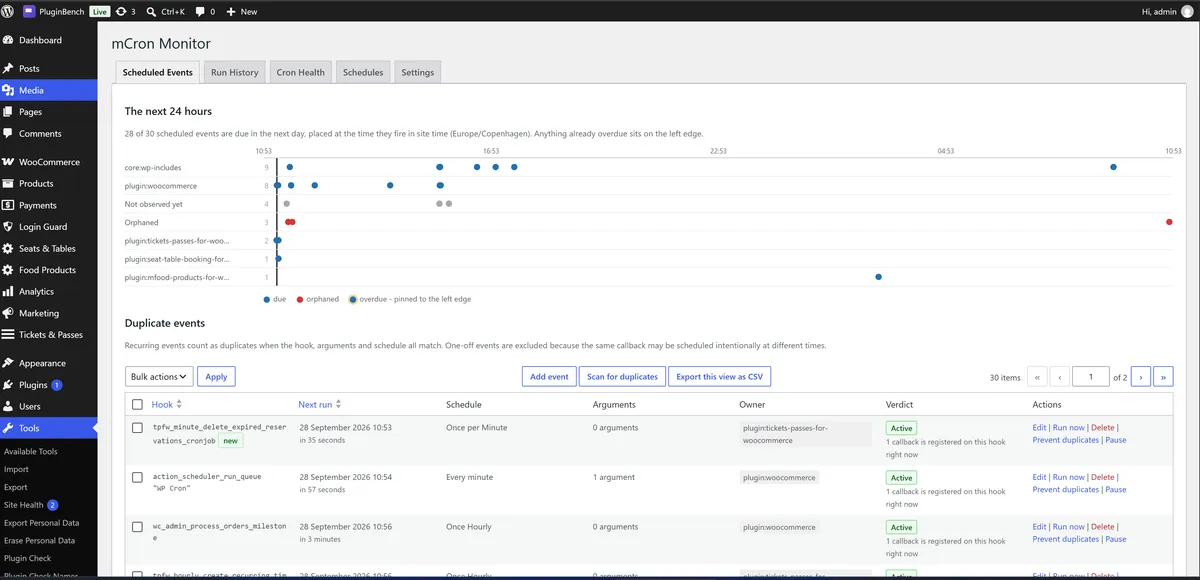
It records every scheduled event as it runs, not just what is scheduled. That is why a cron job that runs twice, dies halfway, or silently stops is so hard to pin on anything.
Every WP-Cron event with its status, duration, memory added, query count, callback count, warnings and fatal errors, and a sparkline of recent runs per hook.
The plugin, theme, mu-plugin or core file behind every callback, resolved by reflection while the event is actually running rather than guessed from the hook name.
The difference between "zero callbacks observed across fourteen runs, safe to delete" and "callbacks observed during cron, do not delete". A verdict you can act on rather than a guess.
Same hook, same arguments, same schedule, found and removable, with a dry run before anything is deleted and an optional per-event guard that rejects duplicate schedules at source.
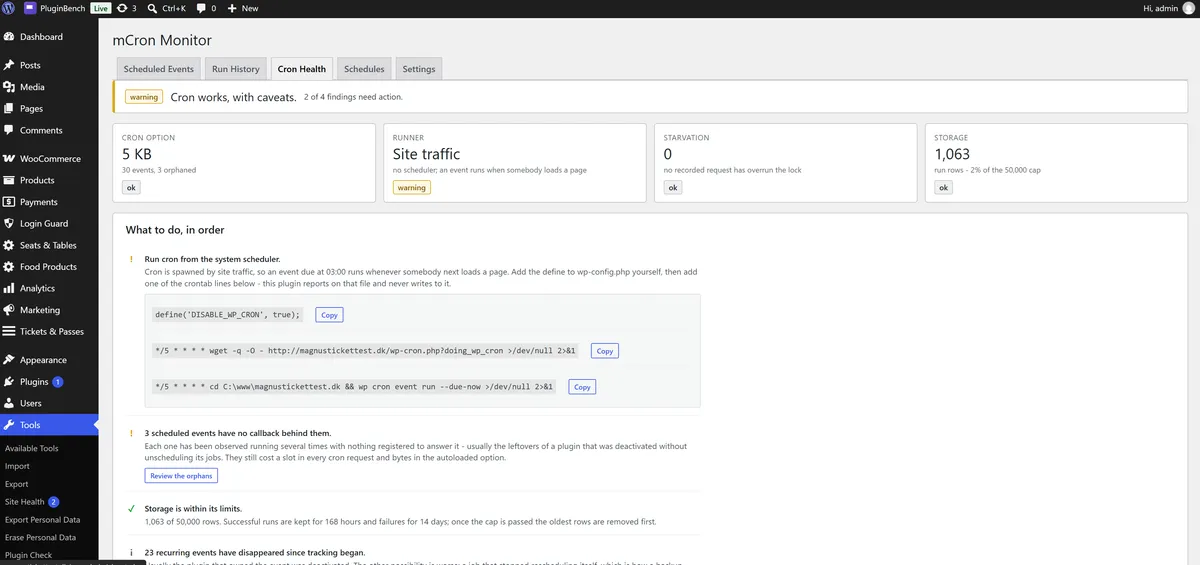
A ranked list of what to fix: lock starvation diagnosis, cron option size, a loopback check of your own wp-cron.php, a stall check, and a recommended WP_CRON_LOCK_TIMEOUT.
Seven days of cron time attributed to the plugin that spent it, which is usually the fastest way to find out why the site slows down on a schedule.
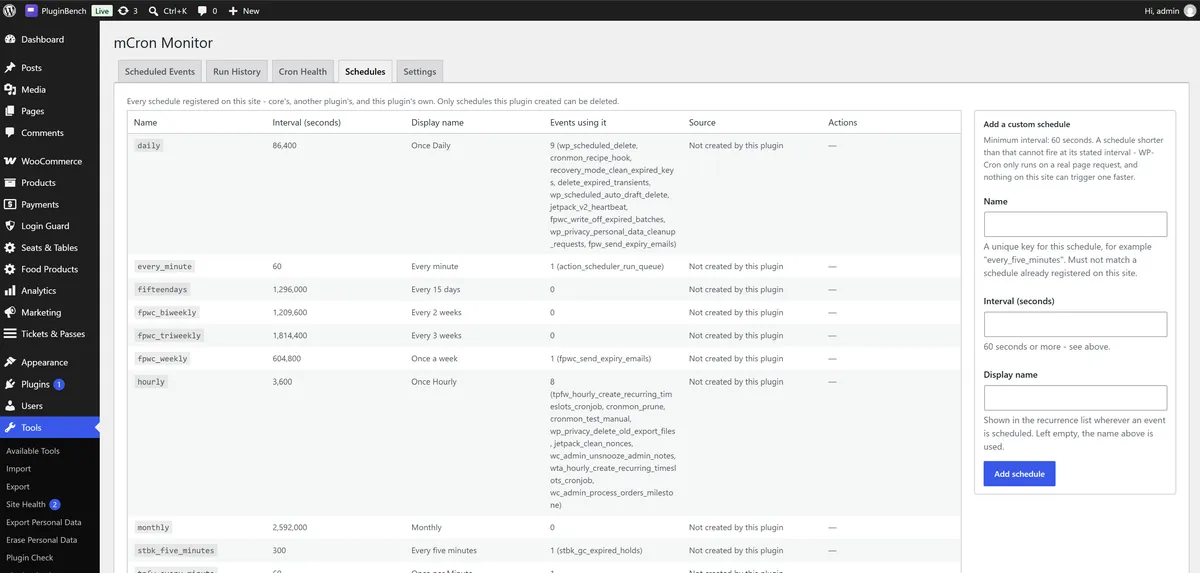
Add, edit, run, delete and pause scheduled events, including pausing a hook without deactivating the plugin that owns it. Custom recurring schedules, with a guard that refuses to delete one an event still uses.
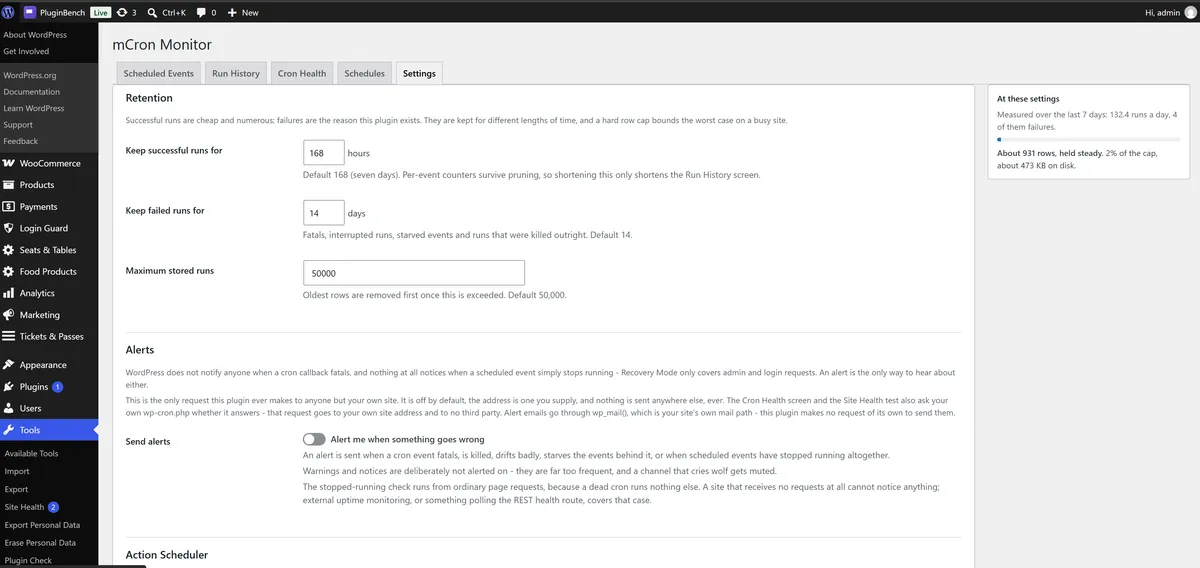
Email and webhook alerts for fatal errors, killed runs, drift, starvation, and for events that have simply stopped running. Slack and Discord work with no intermediary.
These are the fields written for every event that fires, the actual shape of the data behind the Run History screen.
Completed, killed, or finished with a fatal error.
How long the event took from start to finish.
Memory the run added, rather than total process memory.
Database queries made during the run.
How many callbacks were listening, and which file and plugin owns each one.
PHP warnings and notices raised while the event ran.
Anything your own callbacks attach through the plugin's logging hook.
Straight from the WordPress.org listing, so what you see here is what the plugin actually renders.
Unlike the others, this one does not need WooCommerce. It uses it only if it is there, to log Action Scheduler failures.
6.5 or higher, tested up to 7.1.2.
8.1 or higher.
Optional. Where present, Action Scheduler failures are logged, failures only by default.
GPLv2 or later.