Restaurants and bars
Tables of different sizes and prices, several sittings an evening, and a table held back for walk-ins.
 v1.8.1
Turns a WooCommerce shop into a booking system for a room with a layout. Draw the floor plan, price every table, and take bookings with QR check-in.
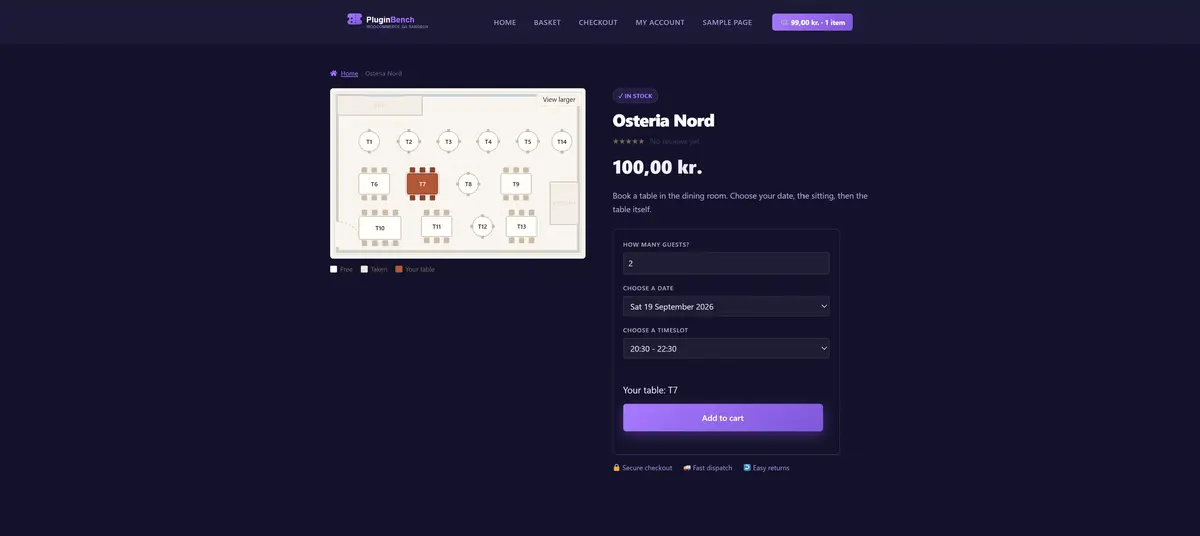
One product is one floor plan, so anything with a fixed layout works: a dining room, an auditorium, a hall or a studio.
Tables of different sizes and prices, several sittings an evening, and a table held back for walk-ins.
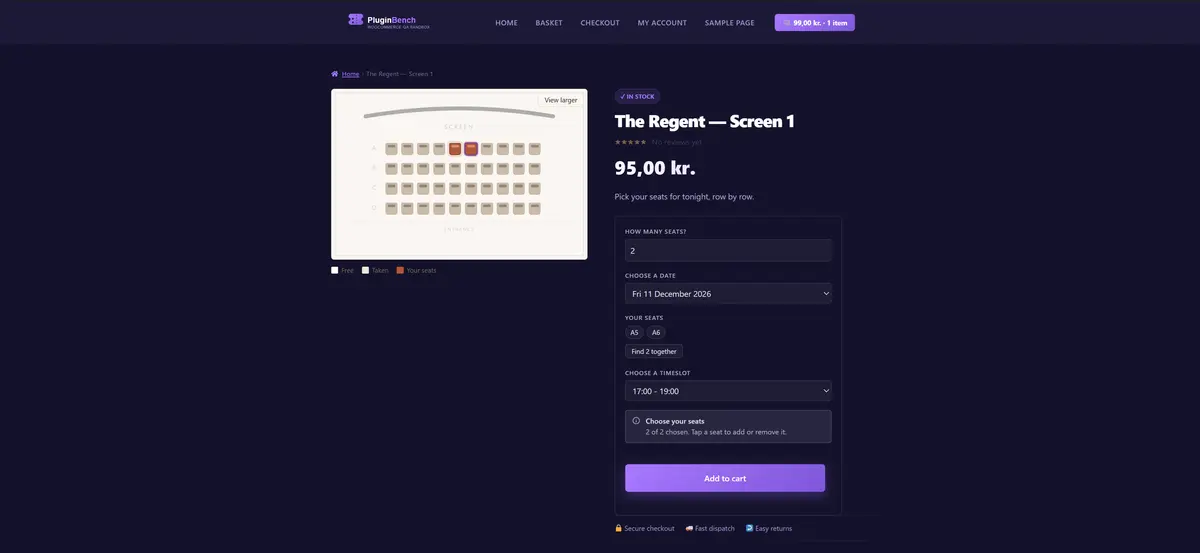
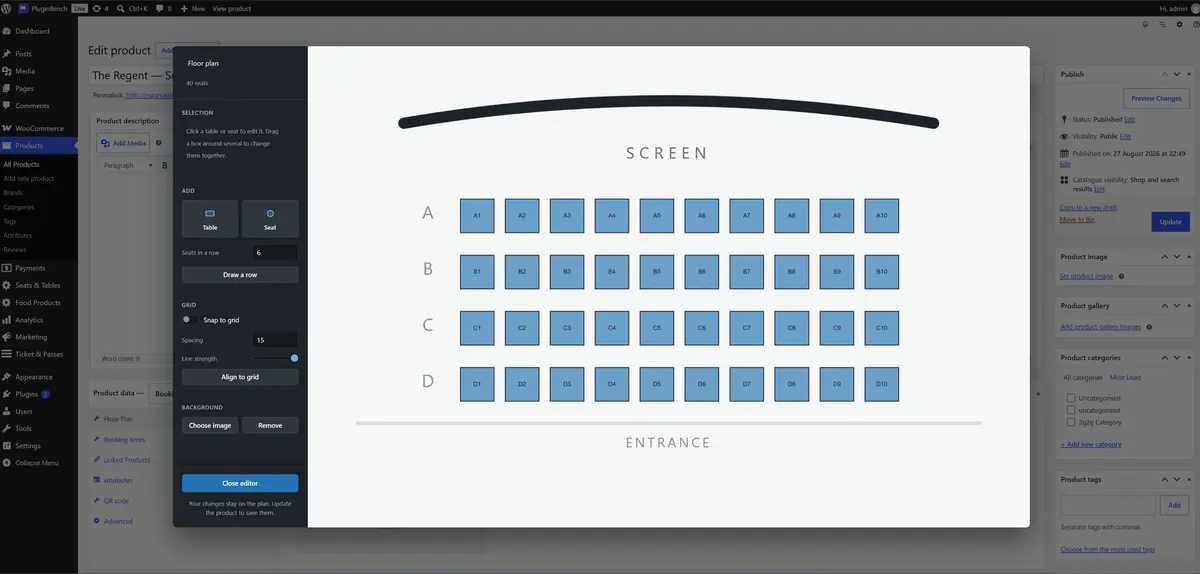
Seat-by-seat booking from a seating chart, with a row tool for laying out rows quickly and a find-seats-together button for groups.
A wedding, gala or conference is a timeslot rule whose first and last day are the same. Desks and studios book by the hour or by the day.
One product is one floor plan. WooCommerce handles the payment, the order and the emails, so there is no second checkout, no second dashboard and no external service.
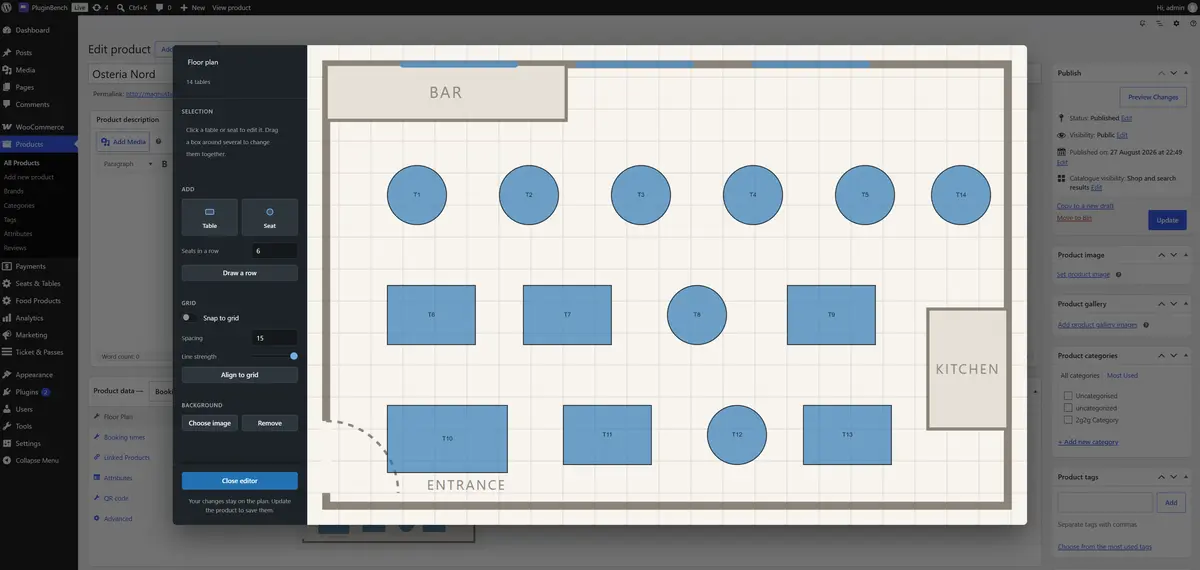
Upload a photo or drawing of the room and drag tables and seats onto it, with a grid, undo, rotation and a row tool for cinema-style seating. Every unit carries its own price, label, capacity and internal note.
Recurring rules per weekday with optional first and last dates, so a wedding or a gala is simply a rule whose first and last day are the same. Blackout dates close a whole day or a single sitting.
A date, then a timeslot, then a table or seats from the floor plan. Only dates that can actually be booked are offered, booked tables are visibly unavailable, tables too small for the party are not shown, and the whole picker works with a keyboard and a screen reader.
Adding a table to the cart takes a short-lived hold on that exact unit, date and timeslot, enforced by a database uniqueness constraint. Two customers racing for the last table cannot both win, and unpaid holds expire on their own. The hold duration is configurable, per site or per venue.
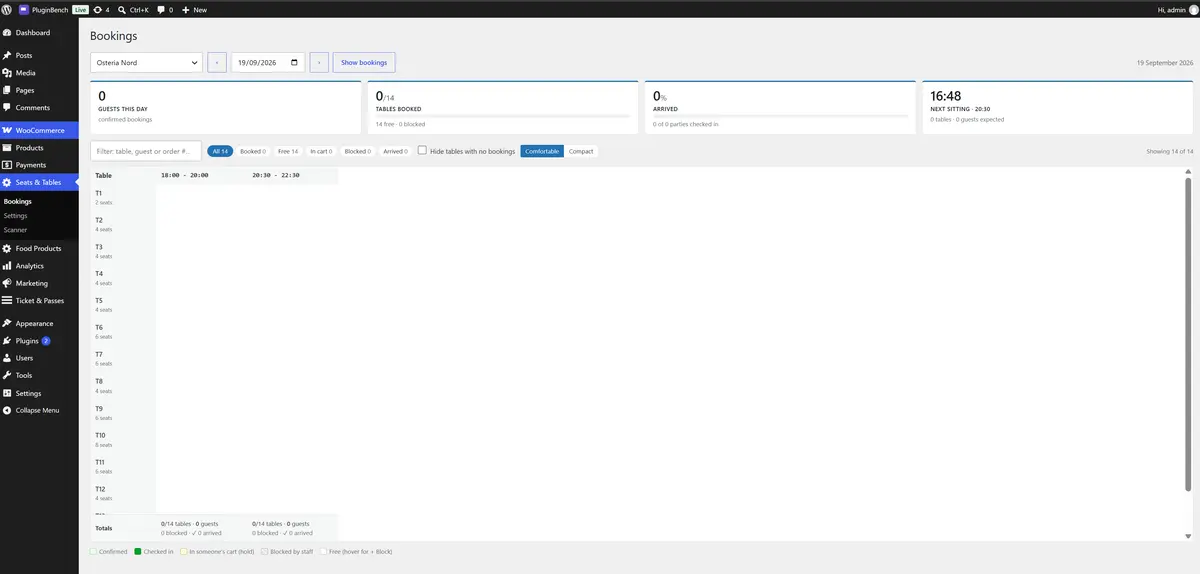
Every table against every sitting for a day, with guests, arrivals and a needs-attention bar. A staff block per sitting holds a table back for walk-ins, and reservations show as a column on the WooCommerce orders list.
Every paid reservation gets a QR code on the confirmation email, the thank-you page and My Account. Staff scan it at a full-screen page built into the plugin, with a flashlight toggle and a type-in field for a desk with no camera. Each venue sets its own QR colours, logo and caption.
A dedicated Scanner role that checks guests in and nothing else, with no access to orders, products or the dashboard. An optional REST endpoint lets a third-party scanner app call the same validation, off by default and requiring an Application Password over HTTPS.
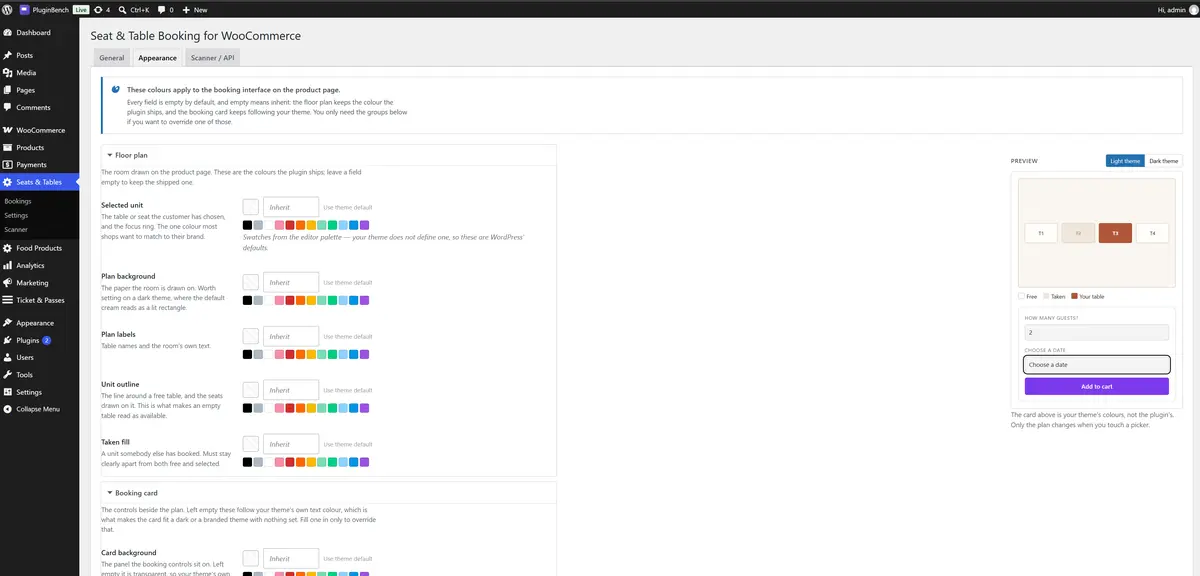
Fifteen optional colour overrides with a live preview and a contrast warning. Left alone the booking controls inherit your theme's own colours, so the card fits a dark or branded theme with nothing to configure.
Straight from the WordPress.org listing, so what you see here is what the plugin actually renders.
WooCommerce must be installed and active. The plugin makes no outbound requests, sends no telemetry and needs no account anywhere. QR codes are generated on your own server by a bundled library.
6.8 or higher, tested up to 7.1.1.
8.0 or higher.
Required. HPOS and the block cart and checkout are both supported.
GPLv2 or later. Translation ready, with a POT file.
Five bundled libraries, all unmodified: Fabric.js, endroid/qr-code, BaconQrCode, dasprid/enum and jsQR.