HomePluginsSlimPress

v1.0.0

SlimPress

WordPress loads emoji scripts, answers XML-RPC, polls Heartbeat and keeps every revision whether your site uses them or not. This switches off the ones it does not, one plain-language switch at a time.

Requires WordPress 6.8 Requires PHP 7.4 Tested to 7.1.2 WooCommerce optional
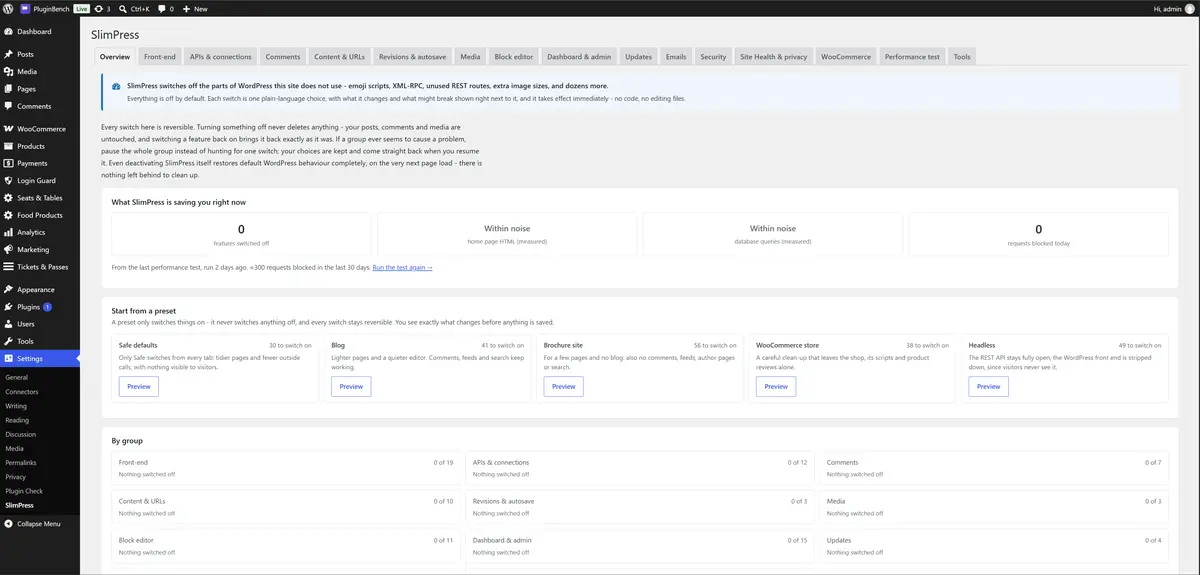
The SlimPress Overview tab: what is being saved right now, the five site-wide presets, and every group with how many of its switches are off.

What it does

Nothing is switched off until you switch it off. Every switch is a runtime filter, so nothing is written to core tables and there is nothing to undo.

108 switches in 13 groups

Front-end, APIs and connections, comments, content and URLs, revisions, media, block editor, dashboard, updates, emails, security, Site Health, and WooCommerce when it is active. Each group has its own switch, so you can pause a whole group while you look into a problem.

What might break, on every switch

Every switch says in plain language what it changes and what could stop working. The risky ones are marked Careful, and you are warned when an active plugin relies on the thing you are about to switch off.

An honest impact badge

Each switch is rated for what it actually saves, including "None, cleanup only" where that is the truth.

A performance test that tells the truth

It loads your own pages with and without SlimPress in the same run, and says "within noise" when the difference is too small to trust. It also shows what each plugin, the theme and core add to the page.

Presets

Safe defaults, Blog, Brochure site, WooCommerce store and Headless. A preset only ever switches things off, shows what it would change first, and skips anything an active plugin relies on.

Fully reversible

Deactivate it and WordPress is back to stock on the very next request. The one exception is the delete old revisions button, which asks first.

Costs next to nothing

A switch that is off loads no code and adds no hooks. With every feature off it adds about 105 KB of memory and no database queries to a front-end request.

Export and import

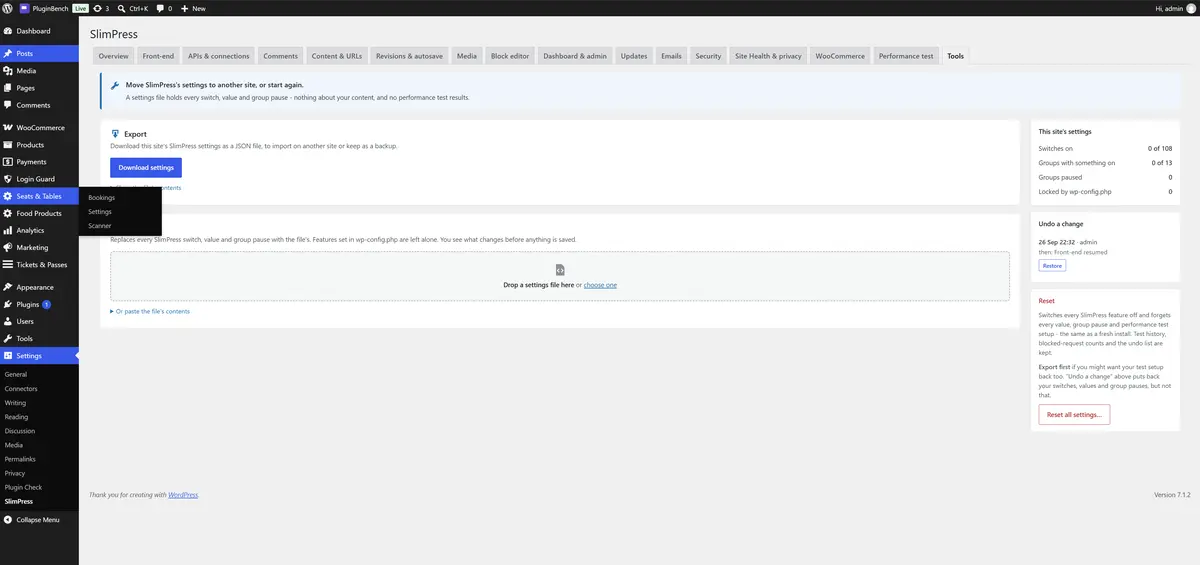
Settings move between sites as a JSON file from the Tools tab, and one reset puts every switch back to off.

What it deliberately does not do

If a feature is not "turn off something core WordPress does", it does not go in. That keeps it out of the way of your caching plugin.

caching

No page caching, so it does not overlap your caching plugin.

minification

Nothing is minified, combined or rewritten.

unused CSS

No "remove unused CSS" and no delay-JS.

script managers

No per-page script manager and no CDN rewrites.

?ver= strings

Left alone. Removing them saves nothing measurable and can serve visitors stale CSS and JavaScript.

lazy loading

Left alone, along with auto sizes and big-image scaling. Removing each of them makes sites slower.

Screenshots

Straight from the WordPress.org listing, so what you see here is what the plugin actually renders.

The Overview tab: what SlimPress is saving right now, the five site-wide presets, and every group with how many of its switches are off.
Overview: what is switched off, per group, with the site-wide presets.
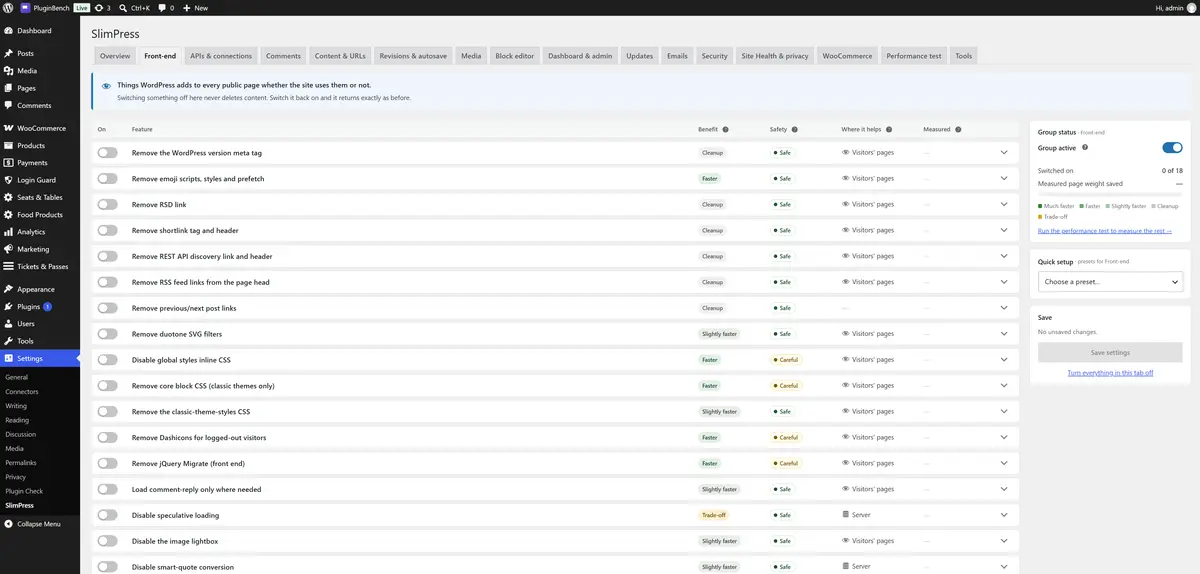
A group tab listing each switch with its impact badge, what it does and what might break.
A group tab: every switch with its impact badge, what it does and what might break.
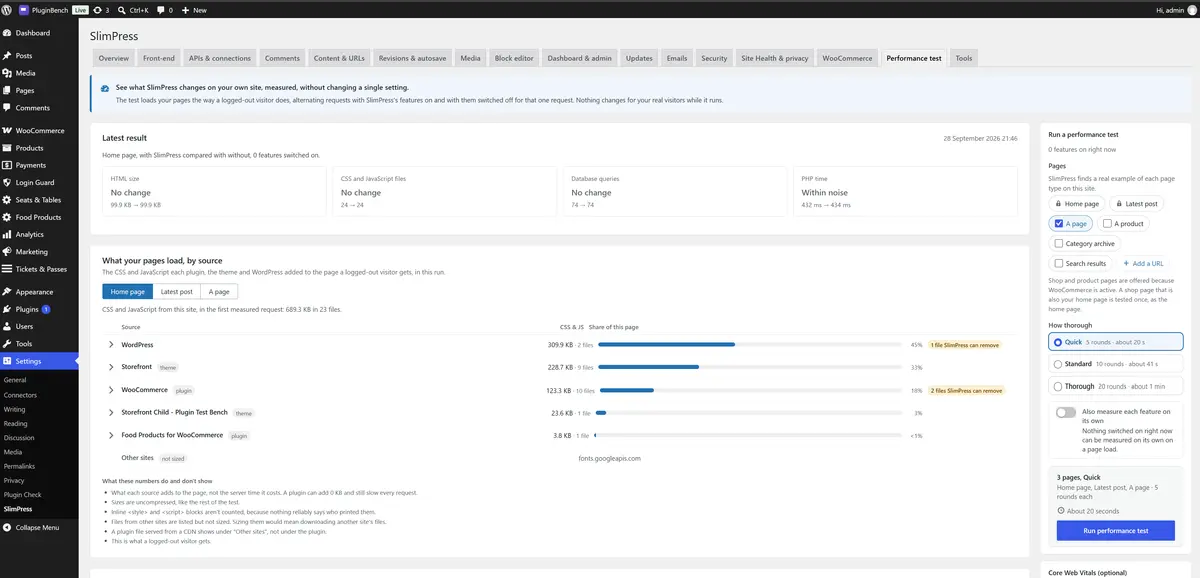
The performance test, with the latest result and a breakdown of the CSS and JavaScript each plugin, the theme and WordPress add to the page.
The performance test: pick pages, run, and see the difference with and without SlimPress.
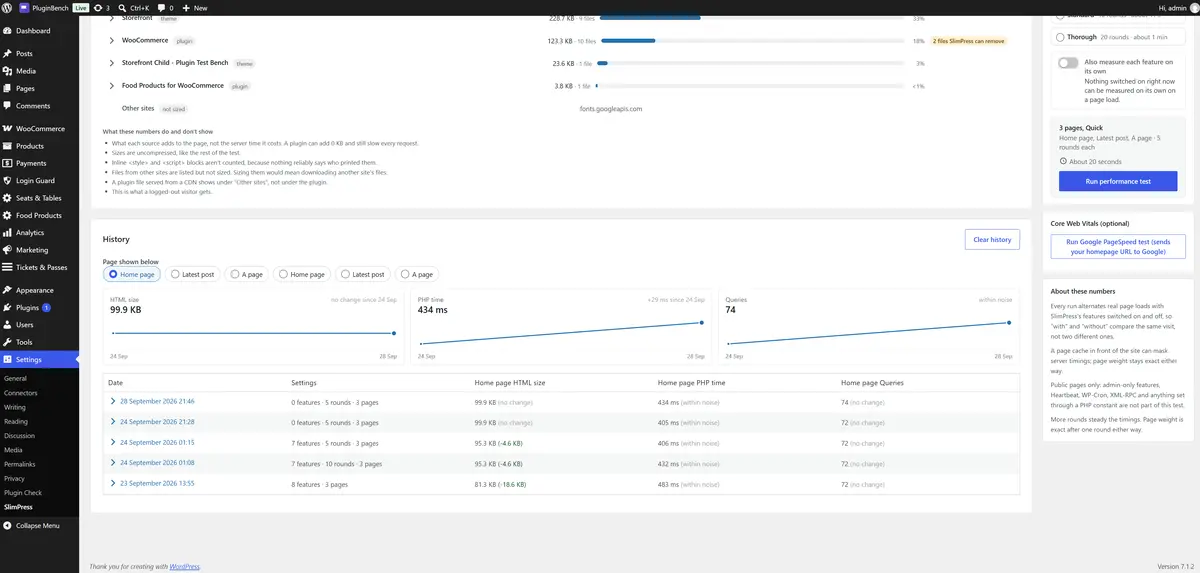
Test history, listing earlier runs with per-feature results and a trend chart of HTML size, PHP time and queries.
Test history: earlier runs, per-feature results, and a trend chart across runs.
The Tools tab, with settings export, import and reset.
Tools: export, import and reset.

Requirements and fine print

It works on any site. On a WooCommerce store it warns you about the switches the shop relies on, and adds a WooCommerce tab while WooCommerce is active.

wordpress

6.8 or higher, tested up to 7.1.2.

php

7.4 or higher.

woocommerce

Optional. Its tab appears while WooCommerce is active, and disappears without losing your choices if you deactivate it.

external services

None, unless you click the optional PageSpeed button, which sends your homepage URL to Google PageSpeed Insights.

licence

GPLv2 or later.

0.00Price, now and later
0.00Fee per sale
GPLv2Licence, or later
noneTelemetry, ever